
In enterprise environments, racks, power, and cooling systems define how IT equipment is physically housed, powered, and thermally managed. Proper design ensures equipment reliability, safe operation, energy efficiency, and long-term scalability while preventing outages caused by heat or power failure.
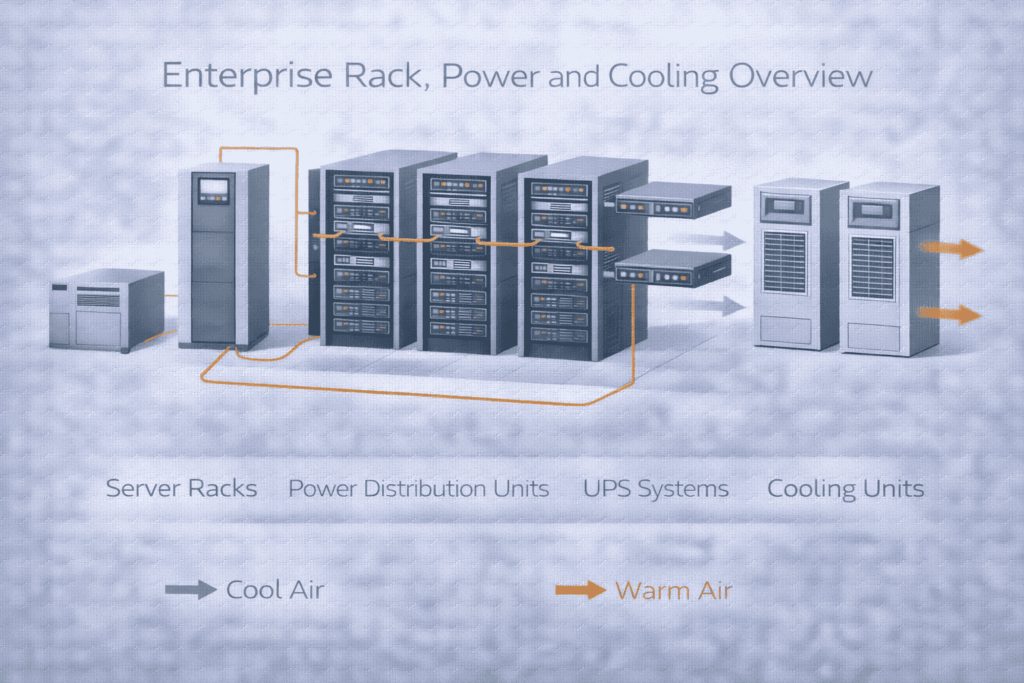
Your outlined scenarios are precise. Organizations require professional design in these critical situations:
New Deployment: Building a new server room or data center from scratch.
Capacity Strain: Experiencing increased server density, higher power demand, or physical expansion.
Operational Failures: Facing frequent overheating alarms, power circuit trips, or hardware failures.
Strategic Demands: Mandated by new uptime (e.g., Tier standards), compliance (e.g., ISO 27001), or energy efficiency goals.
The mistakes you listed are endemic and lead directly to business risk:
Overcrowded Racks → Hotspots and component failure.
Single Points of Power Failure → Avoidable downtime.
Inadequate Cooling Planning → Inability to scale, excessive CapEx later.
Poor Cable Management → Reduced cooling efficiency, maintenance headaches.
Lack of Monitoring → Reactive, blind operations with no capacity insight.
These are not inefficiencies; they are direct causes of downtime and hardware damage.
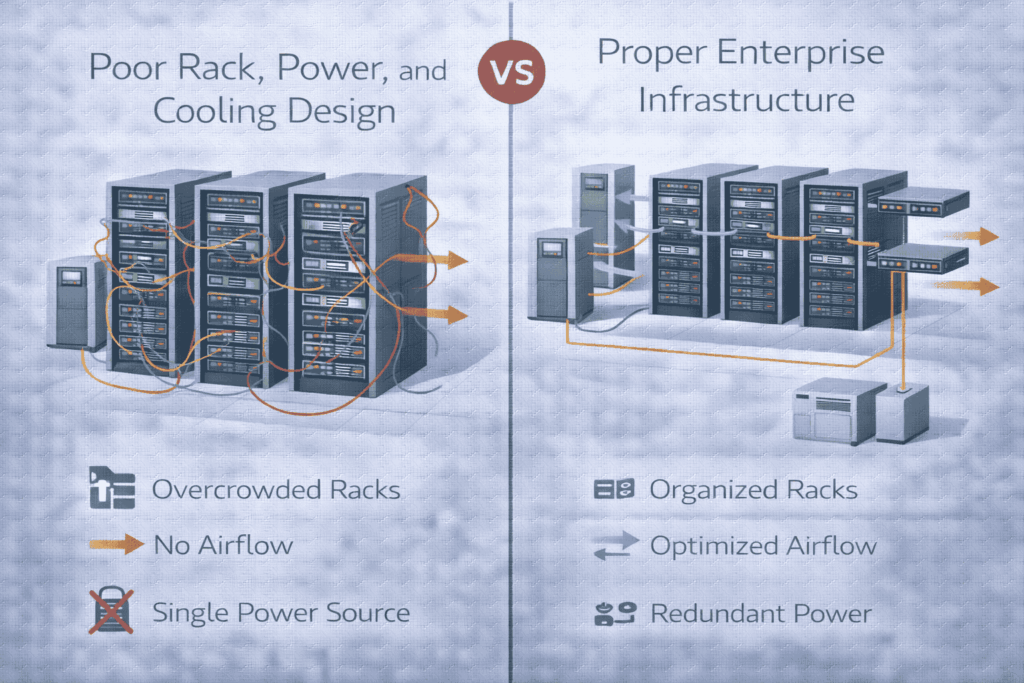
HLIT’s methodology aligns with industry best practices for mitigating risk. The core principle is foundational: Power and cooling are engineered proactively during design, not retrofitted after failure.
This systematic approach ensures:
Predictability: Known capacity limits and growth runway.
Resilience: Built-in redundancy for critical systems.
Efficiency: Optimized energy use (PUE) and operational cost.
Manageability: Clear documentation and monitoring points.
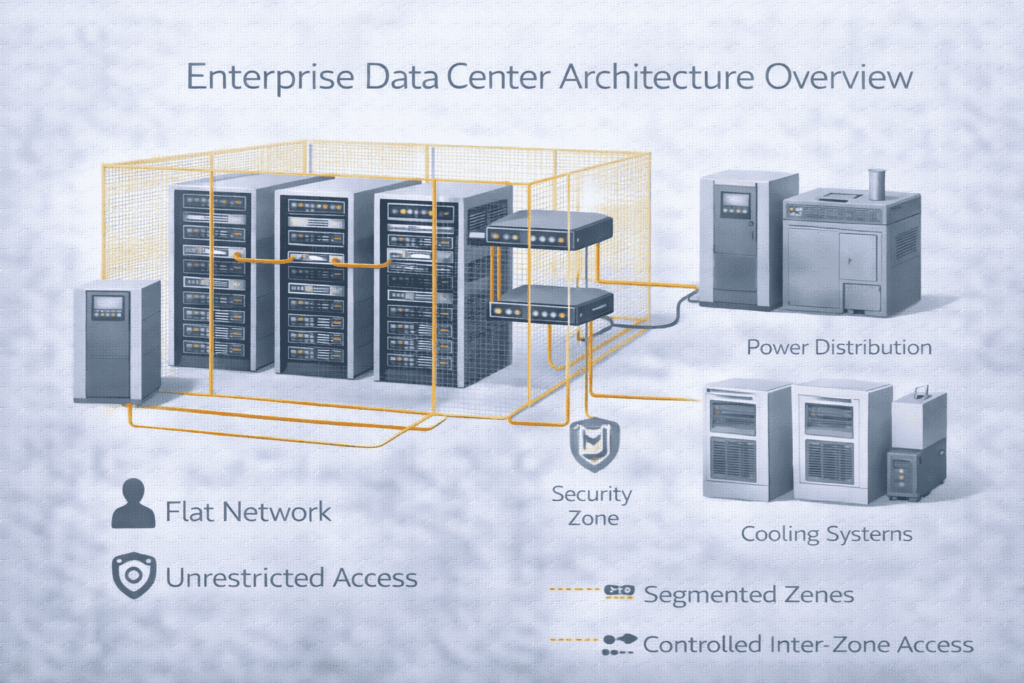
A well-designed server room is the cornerstone that connects and supports your entire technology stack:
Enterprise Network Backbone: Serves as the primary junction for high-speed, redundant connections to your wider network.
Server, Storage, and Virtualization Platforms: Provides the stable, scalable foundation these critical workloads require.
Backup and Disaster Recovery Systems: Allocates secure, powered space for backup appliances and ensures robust connectivity for data replication.
Unified Monitoring and Alerting: Integrates temperature, humidity, and security sensors into your IT management dashboards for proactive oversight.
Physical Security Systems: Connects access logs and surveillance with your organization’s overall security management.
Your server room must operate as an integrated component of your larger IT and business ecosystem.
The scalability, efficiency, and reliability pillars demand focus on:
High-Density Planning: Containing heat and power delivery for modern IT gear.
N+1 / 2N Redundancy: Matching power and cooling design to uptime requirements.
Airflow Optimization: Implementing hot aisle/cold aisle containment.
Visibility: Deploying sensors for temperature, humidity, and power at the rack level.
Modularity: Designing for non-disruptive expansion.
A: Based on a complete inventory of current & planned equipment, considering physical dimensions, weight, power draw (kW/rack), and heat output. We plan for 80-90% usable space, leaving room for airflow and cable management.
A: It’s determined by your uptime SLA and workload criticality. Basic rooms may use N+1 UPS, while Tier III+ data centers require 2N (fully redundant) power paths from utility to server.
A: Directly. Inadequate or non-redundant cooling causes overheating, which triggers server throttling (performance loss) and eventual hardware failure. Proper design includes redundant CRAC/CRAH units and contained airflow to eliminate hotspots.
A: Primary causes are: 1) Poor Airflow Management (blocked vents, mixed hot/cold air), 2) Over-Concentration of High-Density Racks exceeding cooling capacity, and 3) Insufficient Cooling Capacity for the IT load.
A: Plan an upgrade when:
1) You reach 80% of rated power or cooling capacity,
2) You cannot deploy new IT gear due to power/space/heat constraints,
3) Systems are end-of-life/no longer supported, or
4) After a near-miss or failure related to power or heat.
Bottom Line: Treating rack, power, and cooling as an integrated, engineered system is not a facility expense—it’s a core investment in IT resilience and operational continuity.
If your server room or data center is approaching capacity—or already experiencing power or cooling issues—HLIT delivers engineering-driven rack, power, and cooling designs built for reliability and growth.
